
Keep your number.
Pay up to 50% less.
Port in 3 minutes or start fresh with a new number. No paperwork, no lost service.

Pick your plan. Sign up in minutes.
Change or cancel anytime.
AutoRecarga (auto-renew): your plan renews itself every month, so you're never left without service. Turn it off anytime.
What people say on the App Store and Google Play
Real customer reviews in the official app stores. Download it and see for yourself.
Switch and keep your number
Switch carriers without the hassle and get going with red Blak in minutes. No need to call your current carrier.
- ✓ Set up in 3 minutes in the app
- ✓ No paperwork, no hassle
- ✓ Always stay connected
- ✓ 100% free
- ✓ Rather not port? Get a new number instantly.
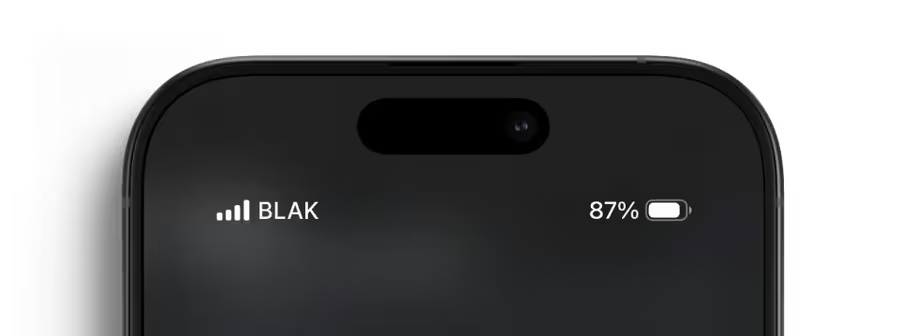
We cut what you don't need. We upgrade what you do.
We built a phone company that saves you money without cutting corners on service.
Pay half
Same GB as the big carriers, half the price. No bloated bundles.
Fast answers from real humans
We're on WhatsApp, Monday to Friday 8am–10pm and weekends 9am–5pm.
No long-term contracts
Switch plans whenever you want. No penalties.
No waiting in line. No salespeople.
All from the app, in minutes. You're the boss.
red Blak, up close
Compare, see why it's worth switching, and see that you can trust us.
Reliable coverage, fair price
We use the same towers as the big carriers and cover 95% of the country, remote areas included.
Check my area →
Does your phone work with us?
Check compatibility in seconds and activate your line without waiting for a physical SIM.
Your whole plan, in your pocket
- ✓ Top up in minutes
- ✓ Check your balance and usage
- ✓ Bring your number, activate your eSIM


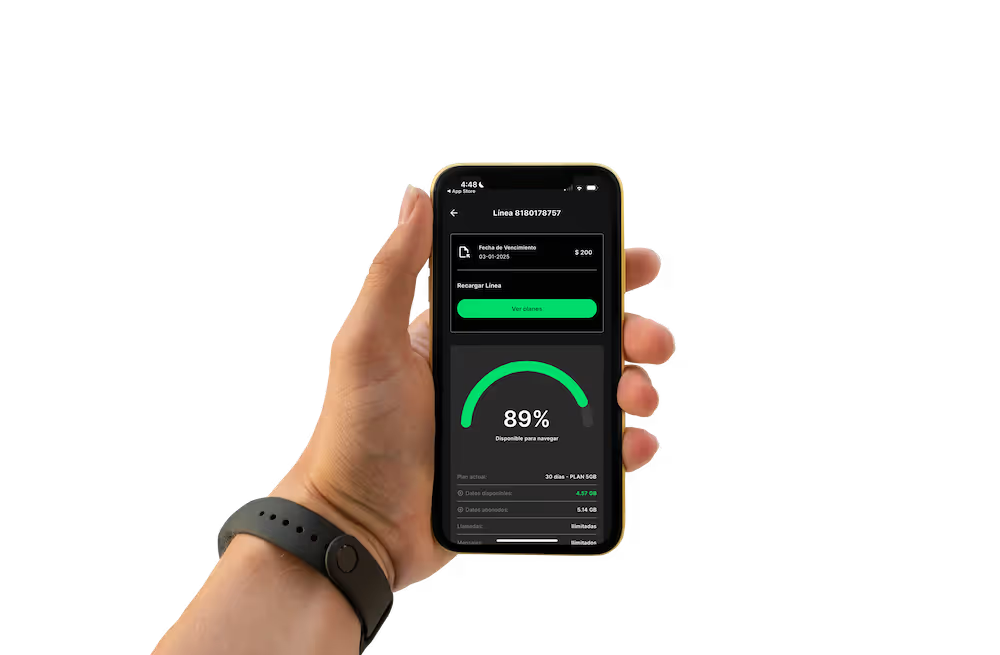
Link your line to keep your number working
By government rule, every user in Mexico has to link their line to their personal details (every carrier, not just red Blak). You do it yourself in the app, in minutes.
Got questions?
Refer a friend. You both save 50%
Share your link. When your friend activates their line, you both get 50% off your top-up. That's how your bill keeps shrinking.
Switch today. Your first bill gets cut in half.
Sign up online, keep your number and be up and running in minutes. Backed by a 30-day guarantee.
Sign up →Pick your plan
Monthly plans, no contract. Change or cancel anytime.
All prices include taxes. AutoRecarga = automatic monthly renewal. If your signal drops, we connect you to our partner networks for free.
Swap your physical SIM for an eSIM
- ✓ Activate from home in 5 minutes
- ✓ Multiple lines on one phone
- ✓ Safer if your phone breaks or gets stolen
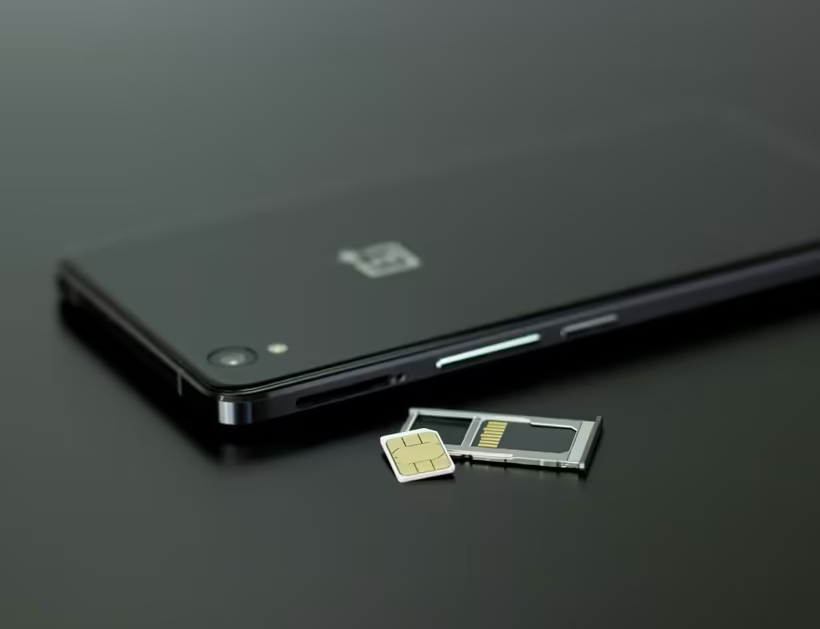
Easy activation
Activate from home in 5 minutes. No waiting for a delivery.
2 mobile lines
Lets you run multiple lines on one phone.
Instant delivery
Activate it as soon as you get your plan.
Set up your red Blak eSIM
Check and sign up
Check that your phone is compatible and pick your plan.
Get the app
Follow the steps in the app to set it up.
Activate and go
Activate your account and start using your data right away.
Check your phone
Ready to pay less?
Pick your plan and sign up in minutes. Free number porting and a 30-day guarantee.
See plans →How do I switch to red Blak?
Follow these steps and you'll be up and running in 5 minutes. No need to call your current carrier.
Choose your SIM and sign up
Choose a physical SIM or eSIM. You get a new number instantly. Keep it, or bring yours (optional and free).
Get the app and activate
We'll walk you through activating your account. That's where you top up and manage your line.
Bring your number
In the app, in 3 minutes. All you need is your phone and a NIP, your porting PIN (text NIP to 051).
We handle everything
In under 24 hours, your number moves over to us. Your old carrier keeps you connected in the meantime, and we'll let you know when it's done. Easy and safe.
Answers in 10 seconds
- Can I start with a new number instead of porting mine? Yes. You get one the moment you sign up. Porting your current number is optional and 100% free.
- Will I lose my number? No. You keep it, and porting is free.
- Will I lose service? No. Your current carrier keeps you connected until the switch is done.
- Do I have to tell my carrier? No. We handle it for you.
- How long does it take? Usually minutes. 24 hours, tops.
- What does porting cost? Nothing. It's free by law.
- Do I have to go to a store? Nope. It's all online, in the app or on WhatsApp.
Ready to pay less?
Pick your plan and sign up in minutes. Free number porting and a 30-day guarantee.
See plans →We figured out what people hate about phone companies. And we fixed it.
See how our plans can cut up to 40% off your current phone bill.
More savings, more transparency
We ditched the fine print. Flexible terms, and you only pay for what you need.
Premium coverage, affordable price
Same towers as the big guys. Great coverage, even in remote areas.
Attentive, human service
Your time matters. We answer fast, and treat you right.
Simple, intuitive app
Top-ups, balance, your line. All a few taps away on your phone.
Coverage is our thing
Check coverage in your area and see how we keep you connected at home, at work or wherever you go. We use the same towers as the big carriers, covering 95% of Mexico, remote areas included.
If there's no tower of ours near you, we automatically connect you to our partner networks (Telcel and AT&T), free of charge.
Reliable coverage
We cover 95% of Mexico, remote areas included.
High speed
Every plan comes with full-speed data. No throttling.
International coverage
Data and calls in the U.S. and Canada at no extra cost. No surprise charges.
Questions about coverage?
Your line, in your pocket
- ✓ Top up in minutes
- ✓ Check your balance and usage
- ✓ Bring your number, activate your eSIM
- ✓ Special deals
Ready to pay less?
Pick your plan and sign up in minutes. Free number porting and a 30-day guarantee.
See plans →Frequently asked questions
- Get your red Blak plan.
- Download our app.
- Tap "Activar mi línea" (activate my line).
- Follow the setup steps.
- You can port your number once your line is active.
- Open the app and select the line you want to activate.
- Check that you got an email with your eSIM QR code (don't scan it).
- Go to your phone's settings and tap "Settings".
- Select "Mobile network" or "SIM manager".
- Choose "Add eSIM" or "Add mobile plan".
- Scan the QR code.
- Tap Confirm and you're done. It should be active.
- Open the app and select the line you want to activate.
- Check that you got an email with your eSIM QR code (don't scan it).
- Open your phone's settings and tap "Settings".
- Select "Cellular".
- Choose "Add eSIM".
- Scan the QR code we emailed you.
- Select "Add Cellular Plan".
- Name your eSIM and tap Continue.
- Tap Confirm and you're done. Your eSIM should now be active.
- It may not show up yet if your phone is in airplane mode or out of coverage.
- Turn airplane mode on for 30 seconds, then off.
- Take out your SIM card for 30 seconds, then put it back in.
- Make sure the top-up went to your number.
Make sure your line isn't suspended or blocked. To check its status, message us on WhatsApp.
- Make sure you have enough balance (check in the app).
- Make sure roaming is on in your phone's settings.
- Make sure mobile data is on.
- Make sure the site you're visiting is working.
- Try turning airplane mode on for 30 seconds, then off.
- Still having trouble? Restart your phone.
Still no signal? Send support a WhatsApp.
- Make sure you have enough balance (check in the app).
- Make sure roaming is on.
- Make sure VoLTE is on.
- Double-check the number you're dialing.
- Try turning airplane mode on for 30 seconds, then off.
- If it keeps happening, restart your phone.
If the error keeps happening, send support a WhatsApp.
Still have questions?
Message us! Our team replies on WhatsApp, Monday to Friday 8:00 am – 10:00 pm and weekends 9:00 am – 5:00 pm.
Ready to pay less?
Pick your plan and sign up in minutes. Free number porting and a 30-day guarantee.
See plans →We fight the hassle
red Blak exists to fight the red tape and surprise charges that big carriers have imposed on people for years.
To fight the hassle, red tape and surprise charges that big carriers have imposed on people for years.
To offer generous, affordable mobile plans that don't skimp on coverage, all from one app.
To be people's best option. Our customers love us.
Link your red Blak line
By government rule, everyone with a mobile line in Mexico has to link their number to their personal details. It applies to every carrier, not just red Blak.
What does linking your line mean?
It means officially confirming the number is yours by linking it to your personal details. Every carrier in Mexico requires it.
Why do I have to do it?
It's a government requirement for every carrier (Telcel, AT&T, Movistar, Bait and red Blak), not just us.
How do I do it?
You do it yourself in the red Blak app in a few minutes, step by step. No waiting in line, no office visits.
What happens if I don't link my line?
If you don't link your line by the official deadline, your service may be suspended until you do. We'll give you plenty of notice in the app and on our channels.
The deadline and exact steps are set by the current official rules. Check the latest in the app or ask our team.
Ready to pay less?
Pick your plan and sign up in minutes. Free number porting and a 30-day guarantee.
See plans →